Current Trends
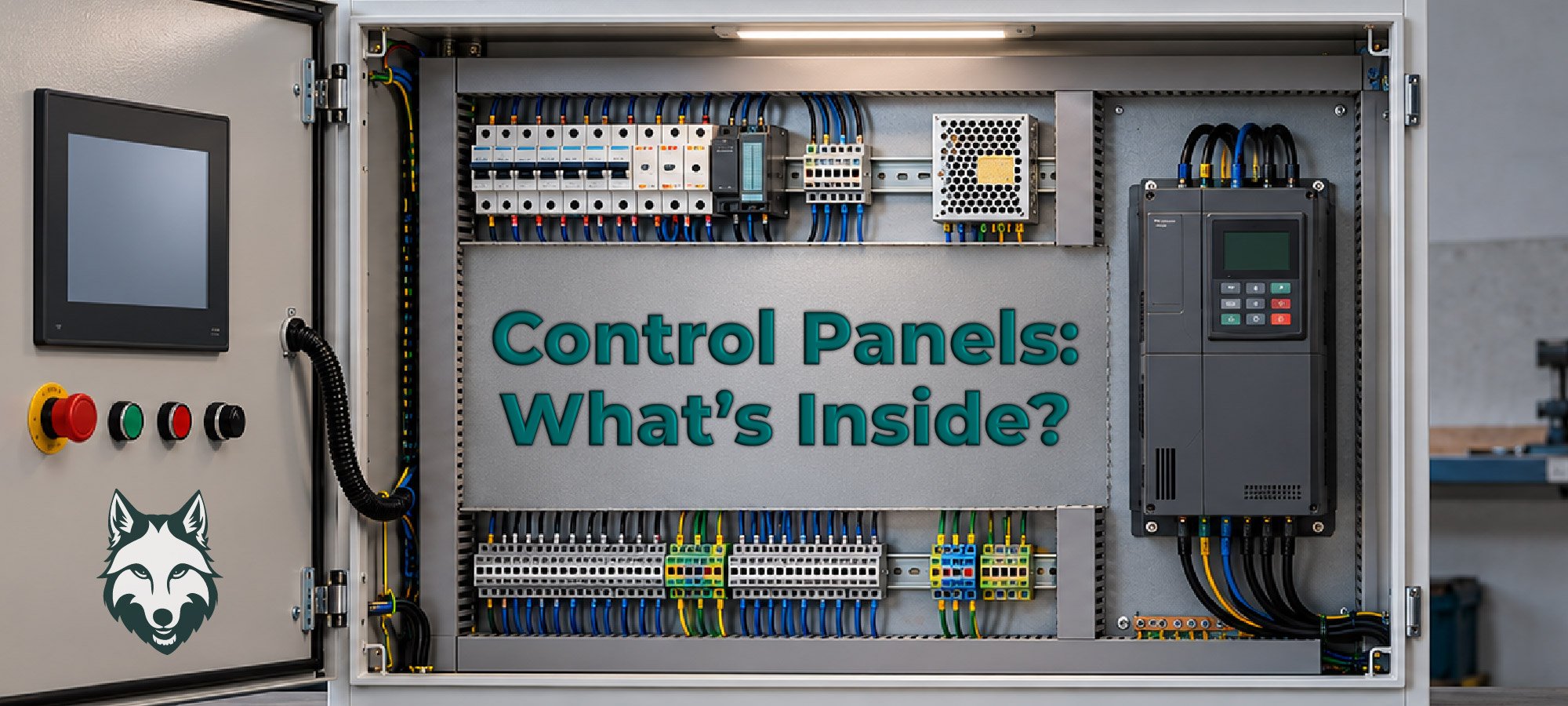

One of the fun parts about being a control panel builder or integrator is that there is rarely just one way to do things. There are endless configurations, component options, layouts, and ways to build a panel that gets the job done.
And while we could spend all day talking about every possible combination (and, honestly, we probably could), we’re going to stick to the basics.
So, grab your tools and let’s get started.
Start With the Enclosure
Before you start mounting components, you need somewhere to put them. That means choosing the right enclosure.
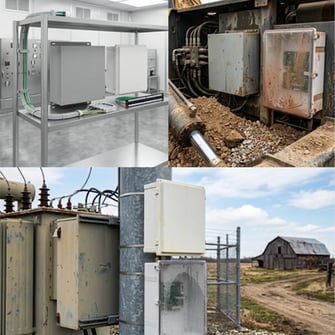
The enclosure you decide on should be based on the environment where the panel will live. Is it going inside a clean, dry facility? Is it going to be exposed to dust, moisture, chemicals, or regular washdown? Environmental conditions can have a big impact on the type of enclosure and components you need.
In other words, don’t just pick the enclosure because it looks like it has enough room. Make sure it's built for the job.
Get Your Cable Management in Order
Nobody wants to open a control panel and see a tangled mess of wires staring back at them.
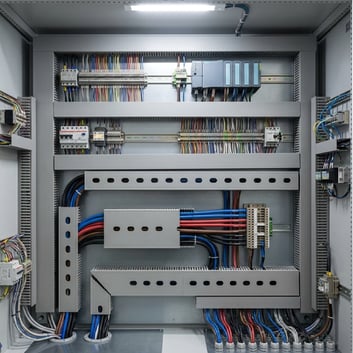
Before installing your components, take some time to map out your cable management. A little planning goes a long way when it comes to keeping wires organized, making the panel easier to troubleshoot, and giving everything a clean, professional look.
Because yes, the inside of the panel matters, too. There’s always someone standing by, ready to get to work after the panel is built.
DIN Rail: More Than Just a Piece of Metal
If you have worked around control panels, you’ve probably heard of DIN rail. But did you know the name comes from Deutsches Institut für Normung, the German Institute for Standardization?
There’s your control panel fun fact for the day.
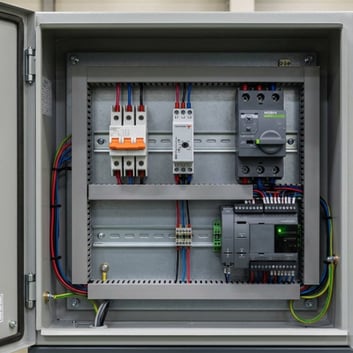
DIN rail provides a standardized way to mount a variety of components inside a control panel, including terminal blocks, circuit breakers, relays, power supplies, and more. It helps keep components organized while making installation and maintenance a whole lot easier.
Circuit Protection and Disconnects
Next up: circuit protection and disconnects.
Circuit breakers help protect the electrical system from excessive current, while a disconnect switch provides a way to disconnect power from the panel or equipment if something goes wrong.
VFDs: Controlling Motor Speed
If your application uses motors, there’s a good chance a variable frequency drive, or VFD, will be part of the conversation.
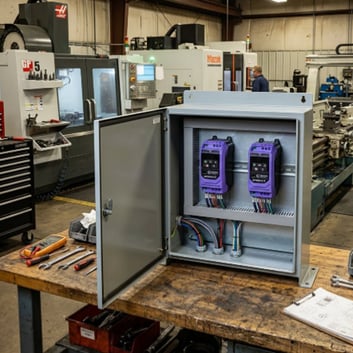
VFDs control the speed and operation of AC motors by adjusting the frequency and voltage supplied to the motor. They can help applications run at the speed they need instead of running full speed all the time.
Depending on the application, selecting the right VFD means considering things like motor horsepower, voltage, enclosure requirements, control method, and communication needs.
And, of course, making sure there’s room for it in the panel.
Power Supplies: Keeping Things Powered Up
Every control panel needs power, but not every component necessarily uses the same voltage.
That’s where power supplies come in. They convert incoming electrical power to the voltage needed by control components such as PLCs, sensors, HMIs, and other devices.
Choosing the right power supply means considering the required voltage, current capacity, available space, and the needs of the equipment it will be powering.
Contactors: Putting Control Into Action
Contactors are another common component found inside control panels. They are electrically controlled switches used to turn loads on and off, often for motors and other higher-power equipment.
When the control system tells the contactor to close, the contactor allows power to flow to the load.
Simple? Sort of. Useful? Absolutely.
HMIs: Giving Operators a Window Into the System
If the PLC is the boss, the human-machine interface, or HMI, is one of the ways people communicate with everyone.
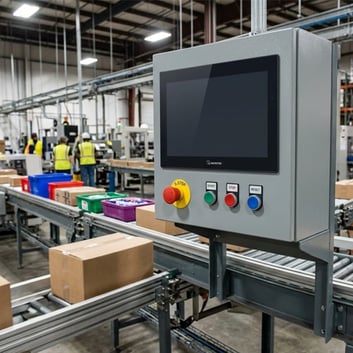
HMIs give operators a visual interface for monitoring and controlling equipment. Depending on the application, an HMI can display things like motor speed, temperatures, alarms, production information, or system status.
Instead of digging through the control panel to figure out what’s happening, operators can get the information they need right from the screen.
That’s a win for everyone.
Don't Forget the Buttons and Switches
Not everything inside or around a control panel needs to be complicated.
Limit switches, pushbuttons, selector switches, and other operator devices can provide simple but important ways to interact with the machine and monitor its operation.
A limit switch, for example, can detect when a machine component reaches a specific position. Pushbuttons can give operators a straightforward way to start, stop, or control equipment.
Sometimes, simple is exactly what the application needs.
Building a Better Control Panel Starts With the Basics
There are a lot of components that can go into a control panel, and there are even more ways to configure them. The right combination will depend on the application, environment, equipment, and requirements of the system.
But whether you’re building a simple panel or a much more complex system, the basics still matter.
Choosing the right enclosure. Planning your cable management. Protecting your circuits. Providing reliable power. Giving your PLC, VFD, HMI, and other components the space and environment they need to do their jobs.
Now that we’ve gone over the basic setup, have you noticed that we sell almost everything you need to build your panel?
Yep. We weren’t kidding when we said the options are endless.